
Install & Configure Nginx
Install Nginx as a reverse proxy in front of AnyLog nodes, giving Kubernetes-deployed nodes a stable, static address instead of a pod IP that changes on every redeploy.
Nginx is a web server that can also act as a reverse proxy. In front of AnyLog nodes, it provides a static IP address instead of the virtual IP Kubernetes assigns a pod each time it’s redeployed. Nginx (or another proxy service) needs to be installed and configured on every machine that needs to communicate with these nodes.
Installation
- Install Nginx as a service:
sudo apt-get -y install nginx
sudo service nginx start
- Validate Nginx is running by browsing to your local IP:
http://${LOCAL_IP}
- Via cURL:
curl http://${LOCAL_IP}

# Expected Output
<!DOCTYPE html>
<html>
<head>
<title>Welcome to nginx!</title>
<style>
    body {
        width: 35em;
        margin: 0 auto;
        font-family: Tahoma, Verdana, Arial, sans-serif;
    }
</style>
</head>
<body>
<h1>Welcome to nginx!</h1>
<p>If you see this page, the nginx web server is successfully installed and
working. Further configuration is required.</p>

<p>For online documentation and support please refer to
<a href="http://nginx.org/">nginx.org</a>.<br/>
Commercial support is available at
<a href="http://nginx.com/">nginx.com</a>.</p>

<p><em>Thank you for using nginx.</em></p>
</body>
</html>
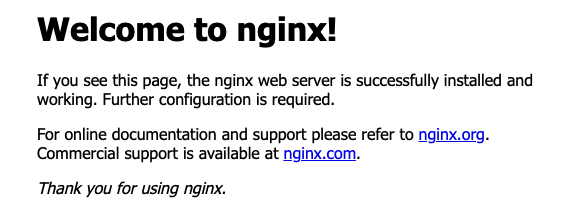
- In a browser, it looks like this:
Configuring
- Remove the default files — we’ll recreate them in the following steps:
sudo rm -rf /etc/nginx/sites-enabled/default
sudo rm -rf /etc/nginx/sites-available/default
- Get the kube-apiserver IP address — required for a
minikubedeployment, but may not be needed for other Kubernetes deployment tools such askubeadm:
minikube ip
- Create a new file for REST communication:
sudo vim /etc/nginx/sites-enabled/anylog.conf
- Add the following content to
/etc/nginx/sites-enabled/anylog.conf. The twoserverblocks below are alternatives — use the${KUBE_APISERVER_IP}variable form generally, or the filled-in192.168.49.2form if you’re onminikubespecifically and already know that IP. Don’t include both:
# nginx default webpage - this generates the default nginx homepage
server {
  listen 80;
  server_name _;
}

# AnyLog Node - make sure the IP & REST Port are correct. This section needs to be repeated for each AnyLog node
# on the machine. Additionally, when using NGINX with docker, the listen port must be different from the
# proxy_pass port, since the two sit on the same network card when the docker host is configured to "network"
server {
  listen 32049;
  server_name _;
  location / {
    proxy_set_header Host            $host;
    proxy_set_header X-Forwarded-For $remote_addr;
    proxy_pass http://${KUBE_APISERVER_IP}:32049;
  }
}

# --- Alternative: filled in for when kube-apiserver IP is 192.168.49.2 (minikube) ---
server {
  listen 32049;
  server_name _;
  location / {
    proxy_set_header Host            $host;
    proxy_set_header X-Forwarded-For $remote_addr;
    proxy_pass http://192.168.49.2:32049;
  }
}
- Update
/etc/nginx/nginx.confto support TCP and Message Broker (if set) communication. As above, the twostreamblocks are alternatives, not both-at-once:
# 1. Import the ngx_stream_module.so module at the top of the file.
# On Ubuntu 20.04 this import was needed; on later Ubuntu versions it wasn't.
include /usr/lib/nginx/modules/ngx_stream_module.so;

# 2. At the bottom, add a stream block — each AnyLog node (on the same machine) should have its own upstream &
# server process(es) within the stream section
stream {
    # AnyLog TCP Connection - repeat the next two blocks for each node
    upstream anylog_node {
        server ${KUBE_APISERVER_IP}:32048;
    }
    server {
        listen 32048 so_keepalive=on;
        proxy_pass anylog_node;
    }
    # AnyLog Message Broker Connection - repeat the next two blocks for each node
    upstream anylog_node_broker {
        server ${KUBE_APISERVER_IP}:32050;
    }
    server {
        listen 32050 so_keepalive=on;
        proxy_pass anylog_node_broker;
    }
}

# --- Alternative: filled in for when kube-apiserver IP is 192.168.49.2 (minikube) ---
stream {
    upstream anylog_node {
        server 192.168.49.2:32048;
    }
    server {
        listen 32048 so_keepalive=on;
        proxy_pass anylog_node;
    }
    upstream anylog_node_broker {
        server 192.168.49.2:32050;
    }
    server {
        listen 32050 so_keepalive=on;
        proxy_pass anylog_node_broker;
    }
}
- After changing the Nginx configuration, reload and restart the service:
sudo service nginx reload
sudo service nginx restart
If the restart fails, it likely means the include line added in step 5 isn’t needed on your Ubuntu version (see
the note in that step) — remove it and repeat step 6.
- To reach the AnyLog node from outside the local network, open the corresponding port(s) on the router as well.