
Open Horizon
Open Horizon is a platform for managing the service software lifecycle of containerized workloads and related machine learning assets. It enables autonomous management of applications deployed to distributed web scale fleets of edge computing nodes and devices without requiring on-premise administrators.
Open Horizon can be used to easily manage and deploy AnyLog node(s) through their interface.
- Open Horizon Website
- IBM Documentation for Open Horizon
- Open Source Documentation
- AnyLog Documentation
- AnyLog Website
Requirements
- A physical / virtual machine for each node, as OpenHorizon is unable to deploy more than 1 instance per node
- Machine requirements
For 64-bit Intel or AMD device or virtual machine:
- 64-bit Intel or AMD device or virtual machine
- An internet connection for your device (wired or Wi-Fi)
For Linux on ARM (32-bit):
- Hardware requirements - Raspberry Pi 3A+, 3B, 3B+, or 4 (preferred), but also supports A+, B+, 2B, Zero-W, or Zero-WH
- MicroSD flash card (32 GB preferred)
- An Internet connection for your device (wired or Wi-Fi). Note: Some devices can require extra hardware for supporting Wi-Fi.
Associating Machine to Open Horizon
The following steps will associate a new machine with the Open Horizon management platform. The process will complete the following:
- Create an API key
- Install Horizon CLI
- Install Docker
- Validate Open Horizon is working by deploying a Hello World package
- On the node Update / Upgrade Node
for CMD in update upgrade ; do sudo apt-get -y ${CMD} ; done -
Create an Open Horizon API Key
- Update Environment variables
- In
~/.bashrc(or~/.profilefor Alpine) add the following variables
- In
export HZN_ORG_ID=<COMPANY_NAME>
export HZN_EXCHANGE_USER_AUTH="iamapikey:<API_KEY>"
export HZN_EXCHANGE_URL=<HZN_EXCHANGE_URL>
export HZN_FSS_CSSURL=<HZN_FSS_CSSURL>
- Set Environment variables
# For non-Alpine operating systems
source ~/.bashrc

# For Alpine operating systems
source ~/.profile
- Install agent and provide admin privileges
curl -u "${HZN_ORG_ID}/${HZN_EXCHANGE_USER_AUTH}" -k -o agent-install.sh ${HZN_FSS_CSSURL}/api/v1/objects/IBM/agent_files/agent-install.sh/data

chmod +x agent-install.sh

sudo -s -E ./agent-install.sh -i 'css:' -p IBM/pattern-ibm.helloworld -w '*' -T 120
- Validate helloworld sample edge service is running
hzn eventlog list -f

<<COMMENT
"2022-06-13 21:27:13:   Workload service containers for IBM/ibm.helloworld are up and running."
<<COMMENT
To unregister an edge service:
hzn unregister -f
If Docker is already installed via hzn, however needs permissions to not use root run:
sudo groupadd docker
sudo usermod -aG docker $(whoami)
newgrp docker
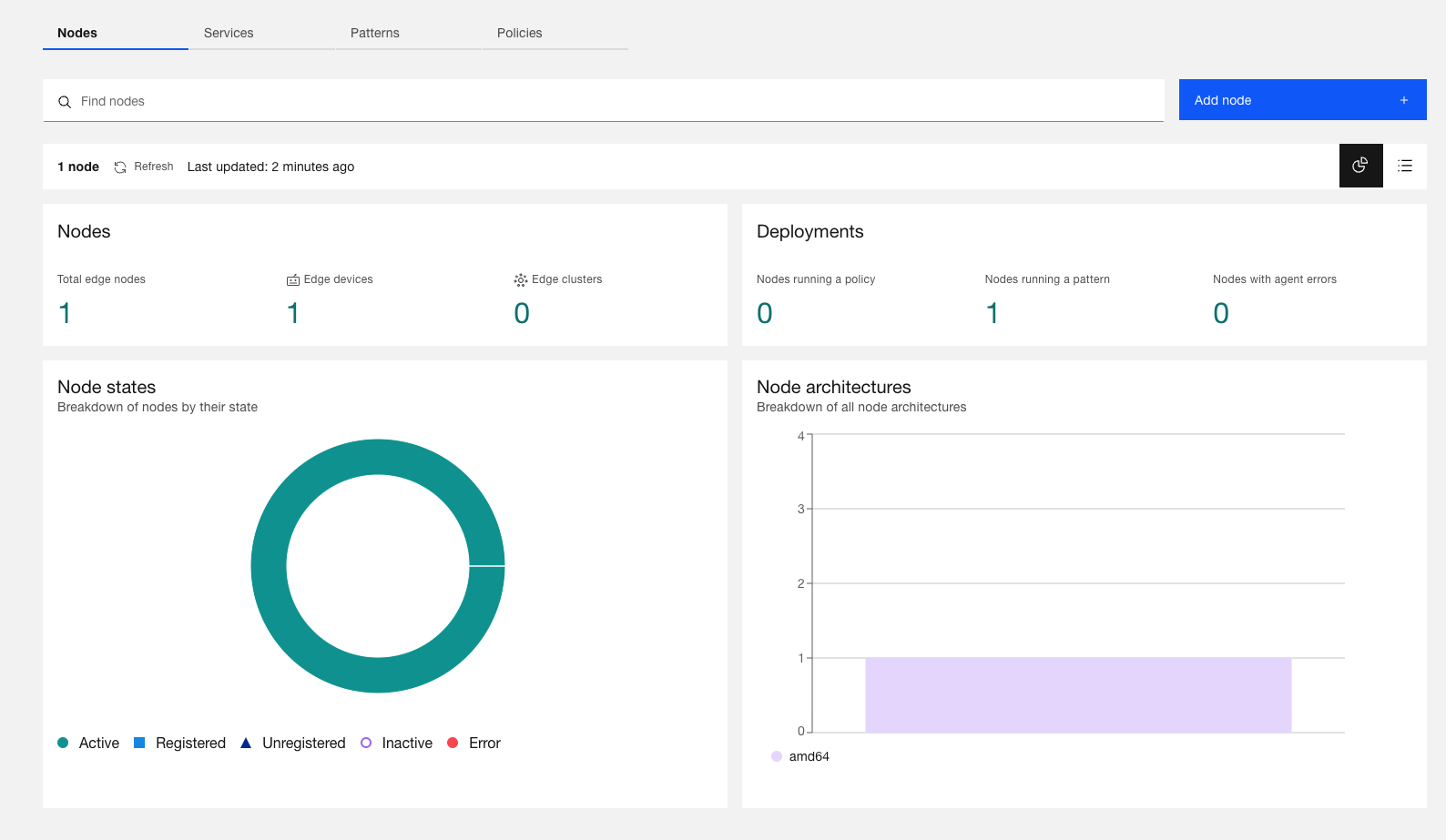
At the end of the process, OpenHorizon should show a new active node
AnyLog
By deploying AnyLog, users can monitor Distributed Edge Nodes and Data from a single point, without centralizing the data.
To include AnyLog in your edge deployments, follow a 3 steps process:
- Request a license key from AnyLog using the following link (once) https://anylog.co/download-anylog/.
- Update the service definition for each monitored node.
- Publish the AnyLog-Node Service for each monitored node.
This process is detailed below.
Associate AnyLog Deployment with OpenHorizon
-
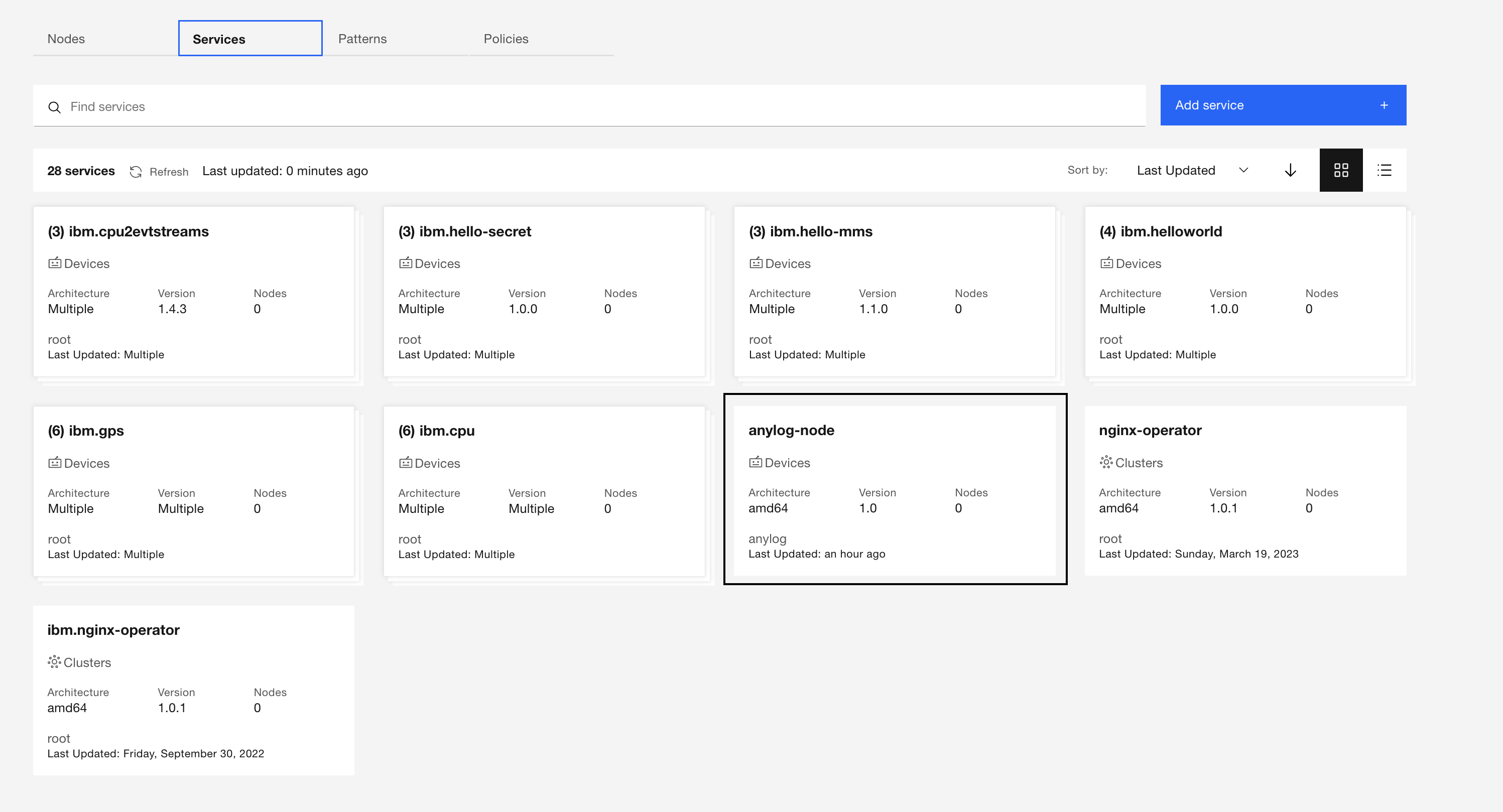
Log into IBM Edge Application Manager
-
Under Services add an “Edge Device”
-
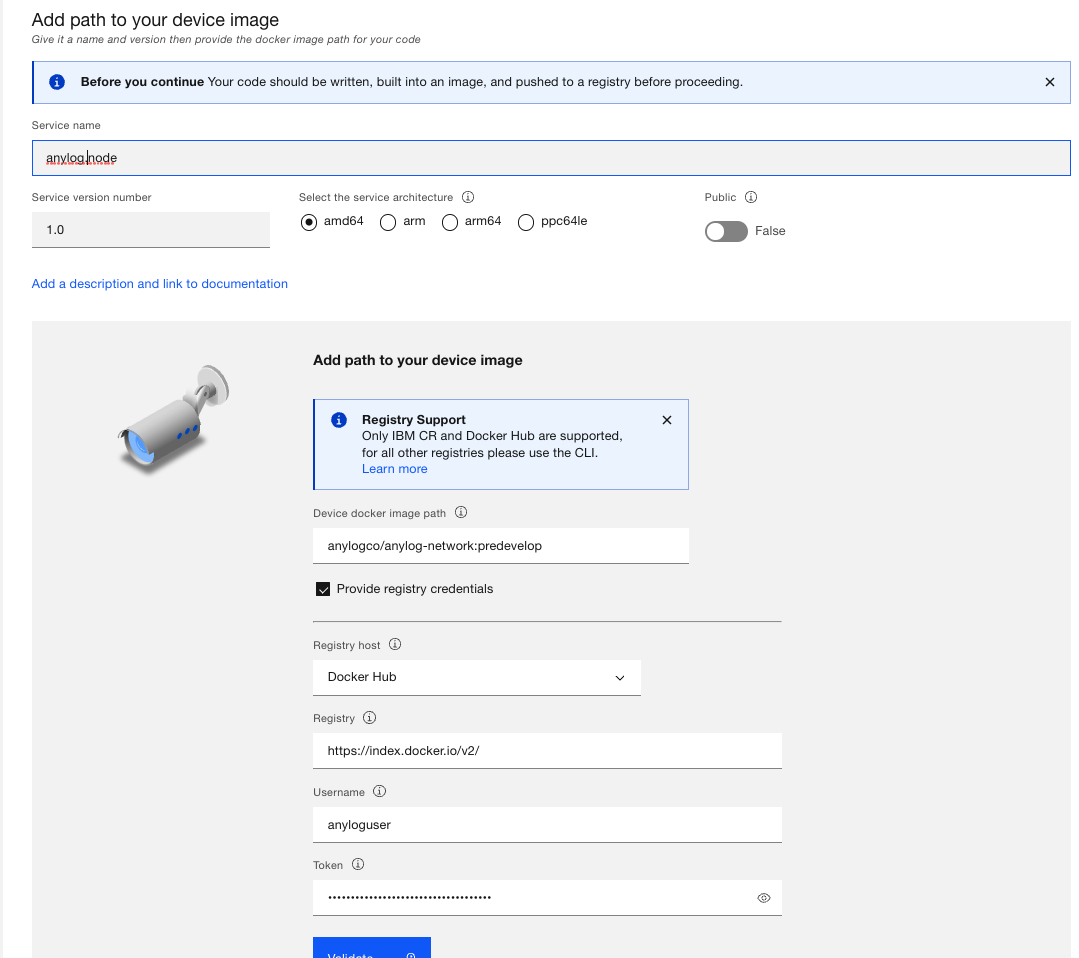
Declare AnyLog as a device image - Docker login credentials are received using: AnyLog Downloads
- Configure Service variables
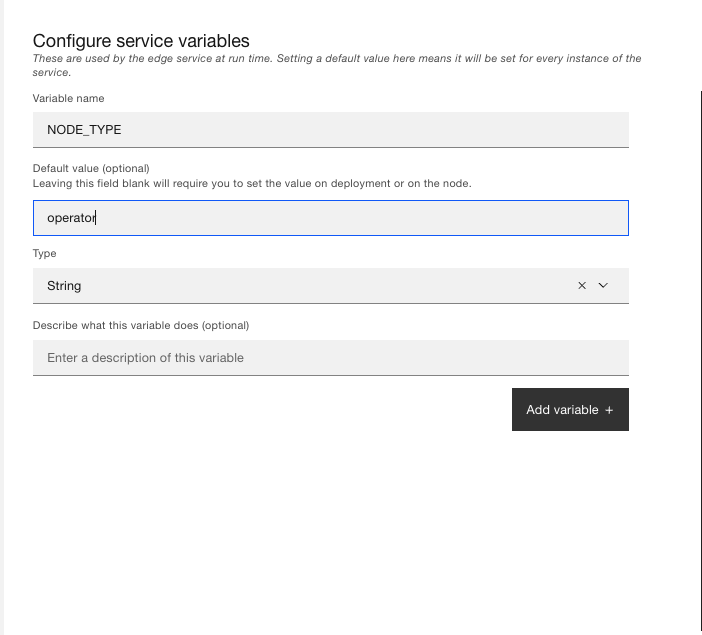
INIT_TYPE(value: training) - Which AnyLog scripts to use for the deploymentLICENSE_KEY- AnyLog license keyNODE_TYPE(value: operator) - which AnyLog node type to deploy (for training purposes we support: operator, query and master)NODE_NAME- AnyLog node nameCOMPANY_NAME- company the node is associated withANYLOG_SERVER_PORT(value: 32148) - Port used for communicating between AnyLog nodesANYLOG_SERVER_PORT(value: 32149) - Port used for communicating used for communicating with an AnyLog node via RESTLEDGER_CONN(value: 132.177.125.232:32048) - A remote AnyLog instance used as the “manager” for AnyLogENABLE_MQTT(value: true) - Enable receiving data from a remote MQTT brokerENABLE_MONITORING(value: true) - Enable monitoring of the Node
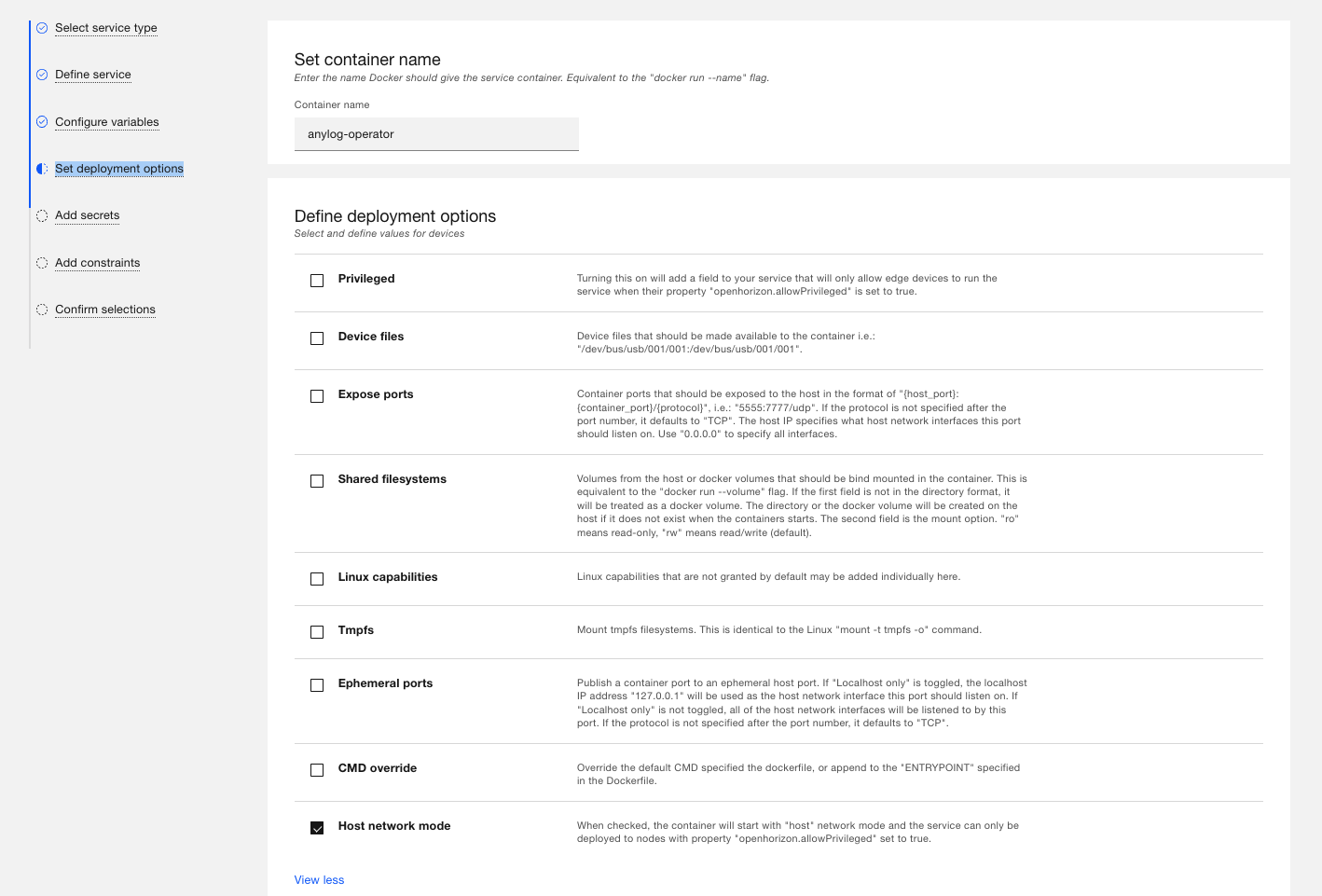
- Under “Deployment Options”, Enable Host Network Mode
- Save changes - you should see “anylog-node” as a published service
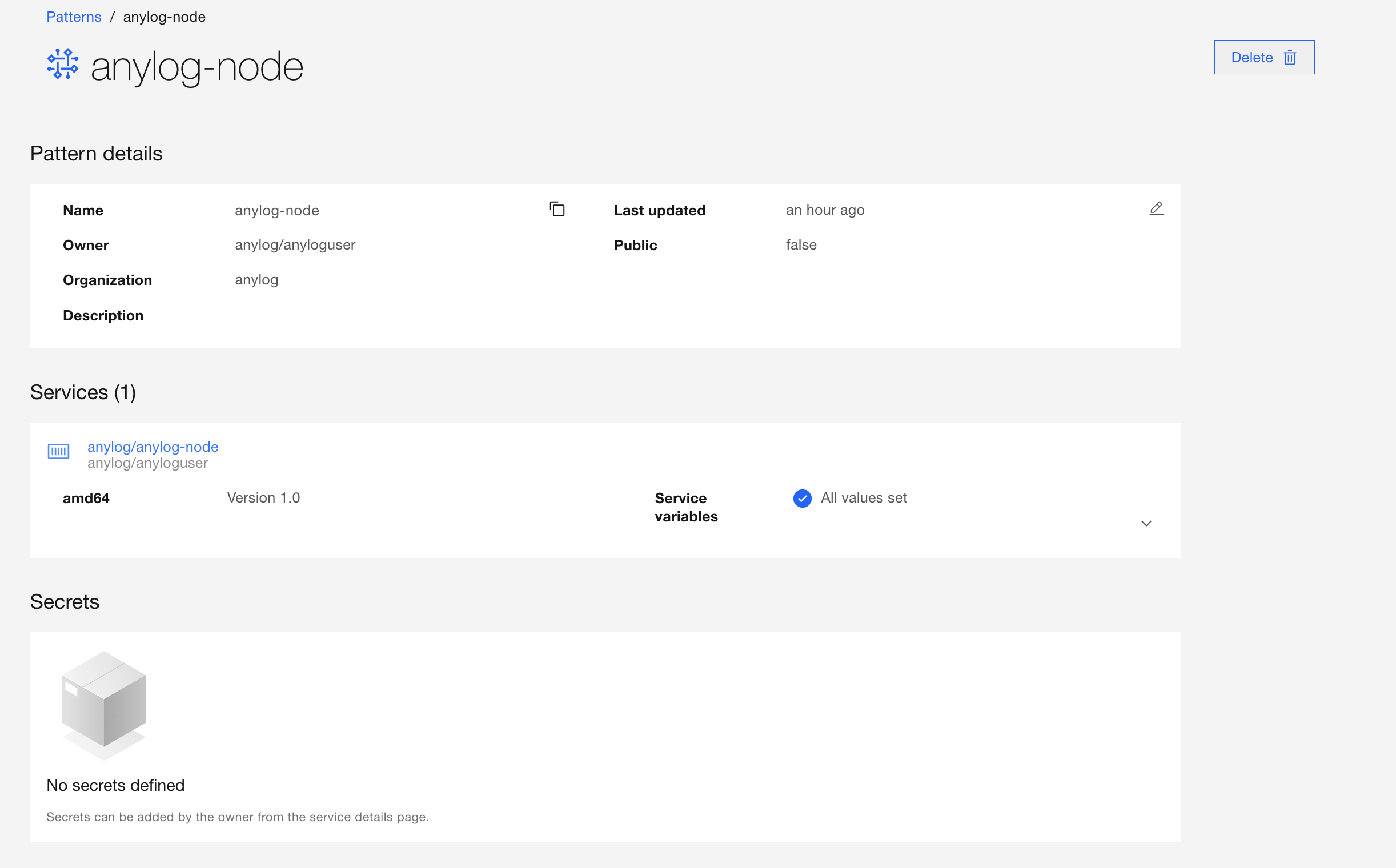
- Create an AnyLog pattern
Create AnyLog node as a Service on Open Horizon
-
Request the AnyLog license key to download AnyLog from the Docker repository using: AnyLog Downloads
-
Update variables in the
service.definition.jsonconfiguration file at (Operator Node) with the following:
| Variable | Update with | Default Value | Comments |
|---|---|---|---|
| INIT_TYPE | training | training | Used to decide which AnyLog scripts to use for the deployment |
| LICENSE_KEY | The Docker Hub key provided by AnyLog | Request key using AnyLog Downloads | |
| NODE_TYPE | operator | operator | A node configured to host data |
| NODE_NAME | [your company name]_operator[node id] | For example: ibm_operator123 | |
| COMPANY_NAME | [your company name] | For example: ibm | |
| LEDGER_CONN | 132.177.125.232:32048 |
132.177.125.232:32048 |
The Network ID (the IP and Port of the Master) |
- Deploy Node
Note,
hznis not able to deploy more than a single instance on a given machine
# Operator Node
cd ~/service-anylog/deployments/operator/
hzn register --policy node.policy.json

# Query Node
cd ~/service-anylog/deployments/query/
hzn register --policy node.policy.json
- Validate node is running - the example is of
- Validate via
docker log
docker logs c33bd07d4808467d90fc1ef41ef2bff81d6502d5ca0bfb6b97ce614becda42b6-anylog-node

<<COMMENT
...
AL anylog-operator1 >
    Process         Status       Details
    ---------------|------------|---------------------------------------------------------------------------|
    TCP            |Running     |Listening on: 198.74.50.131:32148, Threads Pool: 6                         |
    REST           |Running     |Listening on: 198.74.50.131:32149, Threads Pool: 5, Timeout: 20, SSL: False|
    Operator       |Running     |Cluster Member: True, Using Master: 172.105.4.104:32048, Threads Pool: 3   |
    Publisher      |Not declared|                                                                           |
    Blockchain Sync|Running     |Sync every 30 seconds with master using: 132.177.125.232:32048             |
    Scheduler      |Running     |Schedulers IDs in use: [0 (system)] [1 (user)]                             |
    Distributor    |Not declared|                                                                           |
    Blobs Archiver |Running     |                                                                           |
    Consumer       |Not declared|                                                                           |
    MQTT           |Running     |                                                                           |
    Message Broker |Running     |Listening on: 198.74.50.131:32150, Threads Pool: 5                         |
    SMTP           |Not declared|                                                                           |
    Streamer       |Running     |Default streaming thresholds are 60 seconds and 10,240 bytes               |
    Query Pool     |Running     |Threads Pool: 3                                                            |
    Kafka Consumer |Not declared|                                                                           |

AL anylog-operator1 >
Subscription ID: 0001
User:         ibglowct
Broker:       driver.cloudmqtt.com:18785
Connection:   Connected

     Messages    Success     Errors      Last message time    Last error time      Last Error
     ----------  ----------  ----------  -------------------  -------------------  ----------------------------------
              0           0           0

     Subscribed Topics:
     Topic            QOS DBMS         Table            Column name Column Type Mapping Function        Optional Policies
     ----------------|---|------------|----------------|-----------|-----------|-----------------------|--------|--------|
     anylogedgex-demo|  0|open_horizon|['[sourceName]']|timestamp  |timestamp  |now()                  |False   |        |
                     |   |            |                |value      |float      |['[readings][][value]']|False   |        |
<<
- Test Network
curl -X GET 127.0.0.1:32149 -H "command: test network"

<<COMMNET
Address               Node Type Node Name         Status
---------------------|---------|-----------------|------|
132.177.125.232:32048|master   |anylog-master    |  +   |
129.41.87.0:32348    |query    |openhorizon-query|  +   |
198.74.50.131:32148  |operator |anylog-operator1 |  +   |
<<